By SocialStatsIQ Editorial Team
Is Your YouTube Channel Shadowbanned? How to Diagnose and Fix Sudden View Drops
Is your YouTube channel shadowbanned or plateaued? Diagnose view drops using Studio CTR, 30s retention drop-offs, and algorithmic re-indexing fixes.
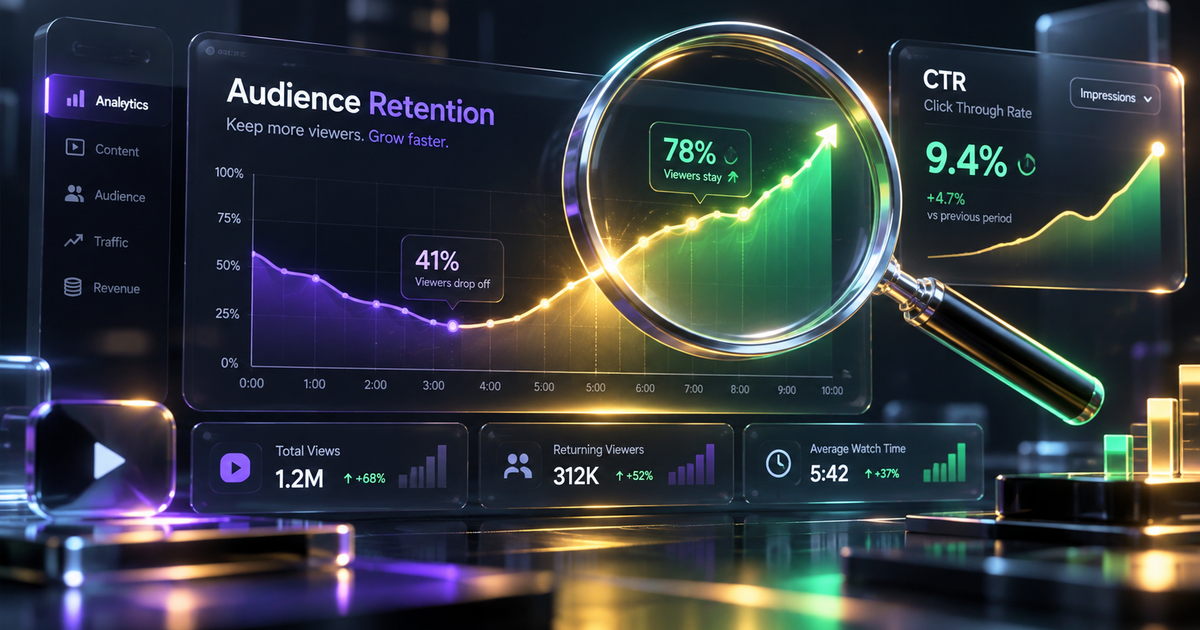
Your latest video uploads, which previously averaged 10,000 views within 48 hours, suddenly flatline at 120 views. You open YouTube Studio, and the graphs resemble a sheer cliff: impressions have dropped by 90%, Browse feature recommendations have evaporated, and your subscriber notifications barely register.
Naturally, creators search the forums and conclude: *"YouTube has shadowbanned my channel."*
The reality is more nuanced. YouTube engineering teams have repeatedly confirmed that YouTube does not maintain an intentional "shadowban" switch designed to hide channels in secret.
However, YouTube's recommendation engine *does* enforce severe algorithmic dampening, confidence resets, and content quarantine filters when specific user satisfaction signals decay or policy filters trip.
This guide provides an analytical, step-by-step audit using your real YouTube Studio data to identify whether you are suffering from a policy restriction, an audience mismatch, or an algorithmic re-indexing cycle—and the exact protocol to recover your impression velocity.
1. What Creators Call a "Shadowban" vs. What Actually Happens
To fix a sudden drop in views, you must replace the concept of a "shadowban" with the machine-learning reality of YouTube's recommendation architecture:
| Phenomenon | What Creators Think Happened | What Actually Happened Behind the Scenes |
|---|---|---|
| Impression Cliff | YouTube manually blacklisted the channel | CTR dropped below testing threshold on a broader audience tier |
| Browse Features Zeroed Out | Platform censorship or ghosting | Initial 1,000 impressions produced low Average Percentage Viewed (APV) |
| Search Exclusion | Videos hidden from search results | SafeSearch automated filter tripped or metadata keyword stuffing flag |
| Comments Disappearing | Account silence penalty | Automated spam heuristic triggered by repetitive links or emojis |
| Sudden Niche Plateau | Permanent algorithmic penalty | Topic fatigue, seasonal drop, or algorithm shifted to fresher competitor |
2. The 4-Step Diagnostic Audit in YouTube Studio
Before attempting any fixes, run this structured 4-step diagnostic audit inside YouTube Studio desktop:
Diagnostic Step 1: The SafeSearch & Incognito Search Test
Determine if your channel has been caught in a safety or age-restriction filter:
- Open an incognito browser window where you are not logged into Google.
- In the YouTube search bar, type your exact channel name in quotes (e.g., `"Creator Name"`).
- If your channel appears normally at the top of results, your channel is NOT indexed out of the database.
- Type the exact title of your most recent low-view upload.
- If the video appears, your video is indexed. If the video is invisible unless you toggle off Restricted Mode (SafeSearch) in YouTube's account menu, your content was algorithmically flagged for sensitive themes (violence, profanity, medical claims, or adult topics).
Diagnostic Step 2: The Traffic Source Breakdown
Identify which specific distribution pipeline collapsed:
- In YouTube Studio, navigate to Analytics > Content > Select your recent underperforming upload.
- Under How viewers find this video, inspect your traffic proportions:
- Browse Features (Home Screen): Did Browse traffic collapse from 60% down to under 5%? This indicates the algorithm tested your thumbnail on casual viewers and received an unviable Click-Through Rate (CTR).
- Suggested Videos: Did Suggested traffic drop to zero? YouTube's co-watch correlation engine severed the link between your video and neighboring creators.
- External Traffic: If external traffic is >40%, your video is likely being throttled due to unverified external traffic (see Invalid Traffic policies).
Diagnostic Step 3: The 30-Second Retention Drop-Off Audit
Inspect viewer engagement at the critical hook point:
- In the video's analytics, click Engagement > Audience Retention.
- Look at the retention curve at the 0:30 mark:
If your retention plummets below 50% in the first 30 seconds, YouTube's neural network interprets this as a false expectation (clickbait). The system stops presenting the video on viewer homepages to protect user session satisfaction.
Diagnostic Step 4: The Channel Policy Status Check
Ensure no background policy strikes are dampening distribution:
- In YouTube Studio, click the gear icon (Settings) in the bottom left.
- Select Channel > Feature eligibility.
- Verify that Intermediate features and Advanced features both show green checkmarks (Enabled).
- Navigate to Dashboard and verify that no active Community Guidelines Warnings appear. Even an expired warning can temporarily elevate automated sensitivity thresholds.
3. Algorithmic Decay vs. Policy Restriction Diagnostic Matrix
| Diagnostic Indicator | Algorithmic Testing Failure | True Policy Throttling / Quarantine |
|---|---|---|
| Impressions Over Time | Gradual taper or flat low baseline | Instant vertical drop to zero across all uploads |
| Search Visibility | Ranks normally for long-tail keywords | Completely excluded from search results |
| Monetization Icon | Green dollar sign | Yellow dollar sign ("Limited or No Ads") |
| Studio Analytics CTR | Low (<3.5%) on broad impressions | Normal CTR, but impressions artificially restricted |
| Notifications Delivery | Subscribers receive push alerts | Bell notifications fail to deliver to subscribers |
4. The 5-Phase Channel Recovery Protocol
If your diagnostic audit reveals an algorithmic plateau or distribution stall, follow this 5-phase recovery roadmap:
Phase 1: Re-title and Replace the First 3 Thumbnails
Do not let dead uploads drag down your channel's immediate impression momentum:
- Identify your last 3 underperforming videos.
- Create high-contrast thumbnails with fewer than 4 words of text and clear emotional focal points.
- Rewrite titles to focus on curiosity and clear value rather than internal series titles (e.g., change *"Vlog Episode 42: Weekend Trip"* to *"I Spent 48 Hours in the Most Isolated Town in America"*).
- YouTube's systems re-index metadata and thumbnail updates, often triggering a fresh micro-batch of Browse impressions within 24 to 72 hours.
Phase 2: Audit Your Descriptions and Tags for Keyword Stuffing
Spammy metadata is one of the most common causes of algorithmic demotion:
- Remove repetitive comma-separated keyword blocks from your video descriptions.
- Delete excessive hashtag blocks (using more than 15 hashtags causes YouTube to ignore all hashtags on that video entirely).
- Keep descriptions focused on a concise 2-to-3 sentence summary of the video's actual content.
Phase 3: The "Topical Anchor" Strategy
When an algorithm disconnects from your audience, it is usually because recent uploads confused YouTube's viewer affinity clustering (e.g., posting a gaming video on a cooking channel):
- Look at your channel's top 3 all-time performing videos over the last 365 days.
- Identify the exact sub-topic, format, and pacing that originally built your core subscriber base.
- Plan your next 3 consecutive uploads exclusively around this proven core topic. Do not experiment with new formats during a recovery phase.
Phase 4: Re-engineer Your First 30 Seconds
To stop retention cliffs:
- Eliminate animated channel intros, logos, and sponsor shoutouts before the 60-second mark.
- State the primary promise or thesis of the video in the first 5 seconds.
- Use a visual pattern interrupt (cut, zoom, sound effect, or b-roll shift) every 4 to 6 seconds in the opening minute.
Phase 5: The 14-Day Consistency Cycle
Machine learning recommendation models require a predictable cadence of user satisfaction signals to recalibrate confidence scores:
- Commit to uploading on a strict, consistent schedule (e.g., every Tuesday and Friday at the exact same peak hour) for a minimum of 14 to 21 days.
- Avoid deleting past videos; privating or deleting content resets your channel's total historical watch time score.
5. Frequently Asked Questions (PAA)
Does YouTube shadowban channels?
No. YouTube leadership and engineering teams have confirmed that there is no deliberate feature or manual switch that secretly shadowbans channels. However, content can be algorithmically suppressed if user satisfaction signals (CTR and retention) fail testing thresholds, or if automated systems flag videos for violating advertiser-friendly guidelines or community standards.
Why did my YouTube impressions drop from thousands to zero?
A sudden drop in impressions typically happens when YouTube tests your video on a broader, colder audience tier and the video achieves a low Click-Through Rate (below 3%) or severe audience drop-off in the first 30 seconds. Alternatively, if your video was flagged by automated filters for sensitive themes or invalid external traffic, impression distribution can halt abruptly.
How do I know if my YouTube channel is shadowbanned or just low views?
Test your channel by searching for your exact channel name and video titles in an incognito window. If your videos appear in search and your monetization icons are green, your channel is not restricted; it is simply experiencing algorithmic fatigue or poor viewer retention metrics on recent uploads.
How do I fix sudden view drops on my YouTube channel?
To recover from sudden view drops, audit your audience retention at the 30-second mark, update thumbnails and titles on recent underperforming videos, eliminate keyword stuffing from descriptions, and upload 3 to 4 consecutive videos focused strictly on your channel's proven core topic to rebuild algorithmic confidence.